
Building Your First Tiny MCP Server
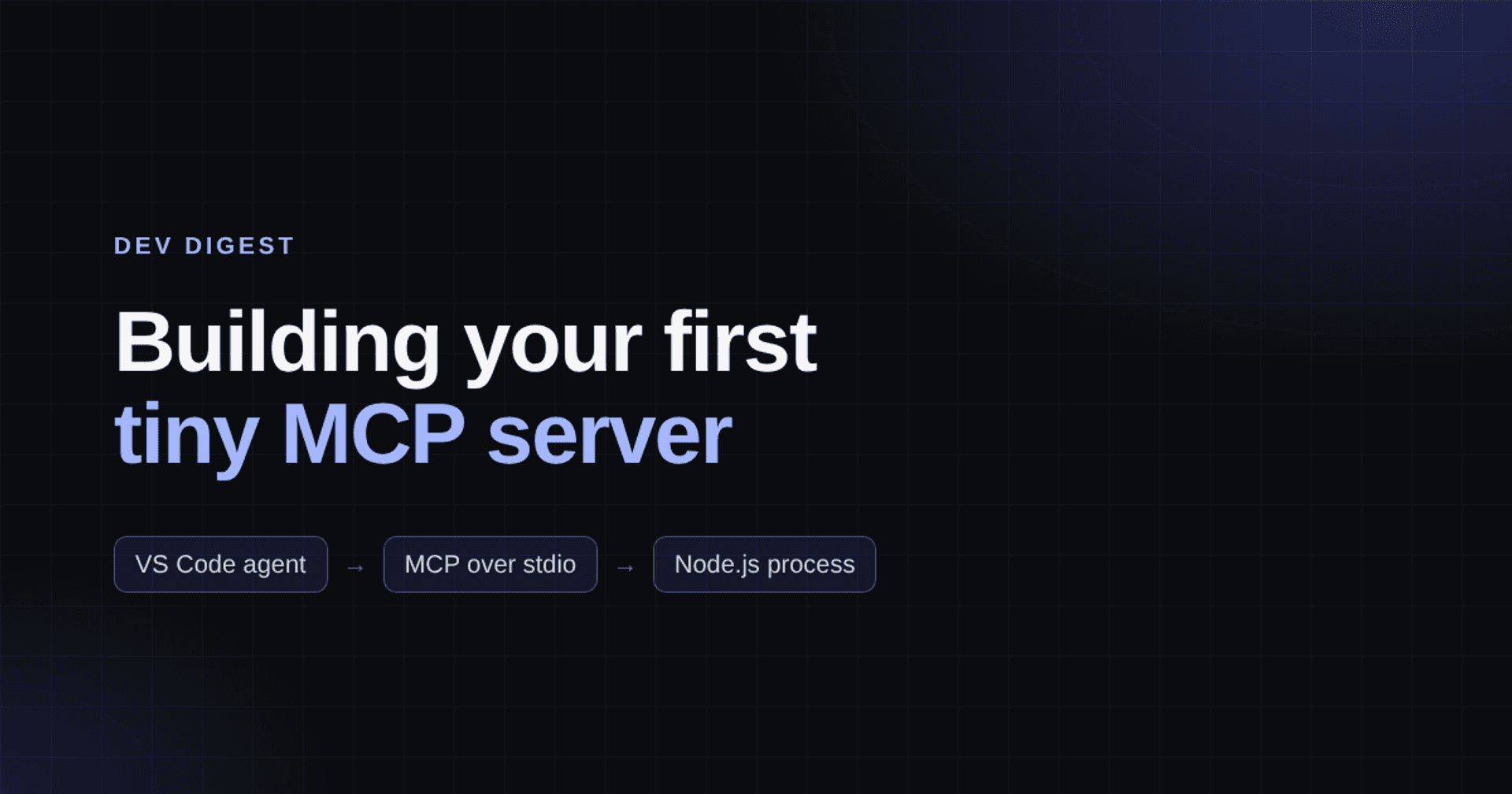
I was working on a way to pick up pull-request review requests from a Teams channel and hand them to a review agent in VS Code.
The agent wasn't the difficult part. I already had that. But I needed two things:
- A connection to the Teams channel through MCP. For this, I used Work IQ, which was an easy integration.
- A way to filter the messages by date and title and return a list of PR links. This is where I decided to write a small server that filters the Teams channel messages and gives me a list of PRs, then expose it as a local MCP server.
I didn't need a big integration platform. I needed a small tool that my agent could discover and call when it needed information.
The Teams workflow has a few moving pieces, so I'll use a simpler example here: a tool that searches local troubleshooting notes. It shows the same idea without needing a Teams connection, an Azure subscription, or credentials.
The tool I want the agent to have
Let's say I keep a handful of runbooks for problems I've seen before: an API that refuses to start, a package restore that fails, a test that behaves differently on my machine.
I want to be able to type:
Search my runbooks for package restore problems. What should I check first?
The tool should find the relevant notes. The agent can then explain them. I don't need an LLM inside the MCP server, and I certainly don't need the server deciding which troubleshooting commands to run.
The whole job is basically this:
search_runbooks("package restore") --> matching notesMCP gives VS Code a standard way to discover that function, understand its arguments, and call it. The lookup logic is still mine. Note that I'm building this on my local machine for day-to-day use in VS Code. If you need the MCP server to be accessible from a hosted agent, the process becomes more involved: authentication, authorization, telemetry, and so on.
A local server is just a process
The word server initially makes this sound heavier than it is. A local MCP server is just a program, here a small Node.js script, running as a process on your machine.
It talks to the client over stdio, which means VS Code starts a Node.js process and talks to it over standard input and output. No web server, open port, or deployment is involved.
VS Code agent -> MCP tool call -> Node.js process -> runbook entriesThe server can live in its own directory, away from whatever repository I have open in VS Code. That's useful for personal tools: I can use the same one across different projects without copying it into each repo.
Build the smallest useful version
You'll need Node.js 20 or newer for the server. If you want to use the MCP Inspector later in this walkthrough, check its current Node.js requirement first: version 2.14 needs Node.js 22.23.4+, 24.22.1+, or 26.12.1+. In a PowerShell terminal:
mkdir runbook-mcp
cd runbook-mcp
npm init -y
npm install @modelcontextprotocol/server zod
Alternatively, clone my companion repo, runbook-mcp-example, and run npm ci in its root directory. It also includes a small test suite you can run with npm test.
I'm using version 2 of the MCP TypeScript SDK, but writing the example in plain JavaScript. There's nothing to compile.
Create a file named server.mjs:
import { McpServer } from '@modelcontextprotocol/server';
import { serveStdio } from '@modelcontextprotocol/server/stdio';
import * as z from 'zod/v4';

const runbooks = [
  {
    id: 'local-api-startup',
    title: 'Local API does not start',
    tags: ['api', 'startup', 'port'],
    checks: [
      'Read the first startup error, not just the last exit message.',
      'Check whether another process is using the configured port.',
      'Verify the required local configuration is present.'
    ]
  },
  {
    id: 'package-restore',
    title: 'Package restore fails',
    tags: ['package', 'restore', 'dependency', 'authentication'],
    checks: [
      'Identify which package source returned the error.',
      'Check whether authentication to that source has expired.',
      'Confirm the requested package version exists in that source.'
    ]
  }
];

function makeServer() {
  const server = new McpServer({ name: 'local-runbooks', version: '1.0.0' });

  server.registerTool(
    'search_runbooks',
    {
      description: 'Find matching troubleshooting notes. Read-only; never runs their steps.',
      inputSchema: z.object({ query: z.string().trim().min(1).max(200) }),
      annotations: { readOnlyHint: true, openWorldHint: false }
    },
    async ({ query }) => {
      const terms = query.toLowerCase().split(/\s+/);
      const matches = runbooks.filter((entry) => {
        const searchable = [entry.title, ...entry.tags, ...entry.checks]
          .join(' ')
          .toLowerCase();
        return terms.every((term) => searchable.includes(term));
      });

      const result = {
        query,
        totalMatches: matches.length,
        runbooks: matches.slice(0, 5)
      };

      return {
        content: [{ type: 'text', text: JSON.stringify(result, null, 2) }]
      };
    }
  );

  return server;
}

void serveStdio(makeServer);
console.error('local-runbooks: ready on stdio');
Most of that is a JavaScript array and a filter. The MCP-specific parts are the server, the tool registration, the input schema, and serveStdio.
The search is deliberately unsophisticated. Every word in the query must appear somewhere in the title, tags, or checks. I wouldn't use that algorithm for thousands of documents, but two sample runbooks don't need vector search.
I did put a few boundaries around the tool:
- A blank query is invalid, and the input is limited to 200 characters.
- Each runbook has an ID, so the result can be traced back to a specific note.
- The response has a maximum of five entries, even if there are more matches.
- The description says explicitly that the tool returns notes; it doesn't execute them.
The readOnlyHint annotation tells clients what to expect. It isn't a permission system. The code is read-only because it only searches an in-memory array.
Start it, then actually test it
First, check that Node can start the server:
node server.mjsIf you cloned the companion repo, npm start does the same thing.
You'll see:
local-runbooks: ready on stdioThen it appears to do nothing. That's fine. It's waiting for an MCP client to connect. Press Ctrl+C to stop this manual run; VS Code will launch its own process later.
One detail is easy to miss: don't use console.log() for startup messages in a stdio MCP server. Standard output carries the MCP protocol messages. A stray log line can break the conversation between the client and server. Use console.error() for diagnostics.
Before involving an AI agent, I like testing the tool directly. The MCP Inspector can launch the process and call its tools:
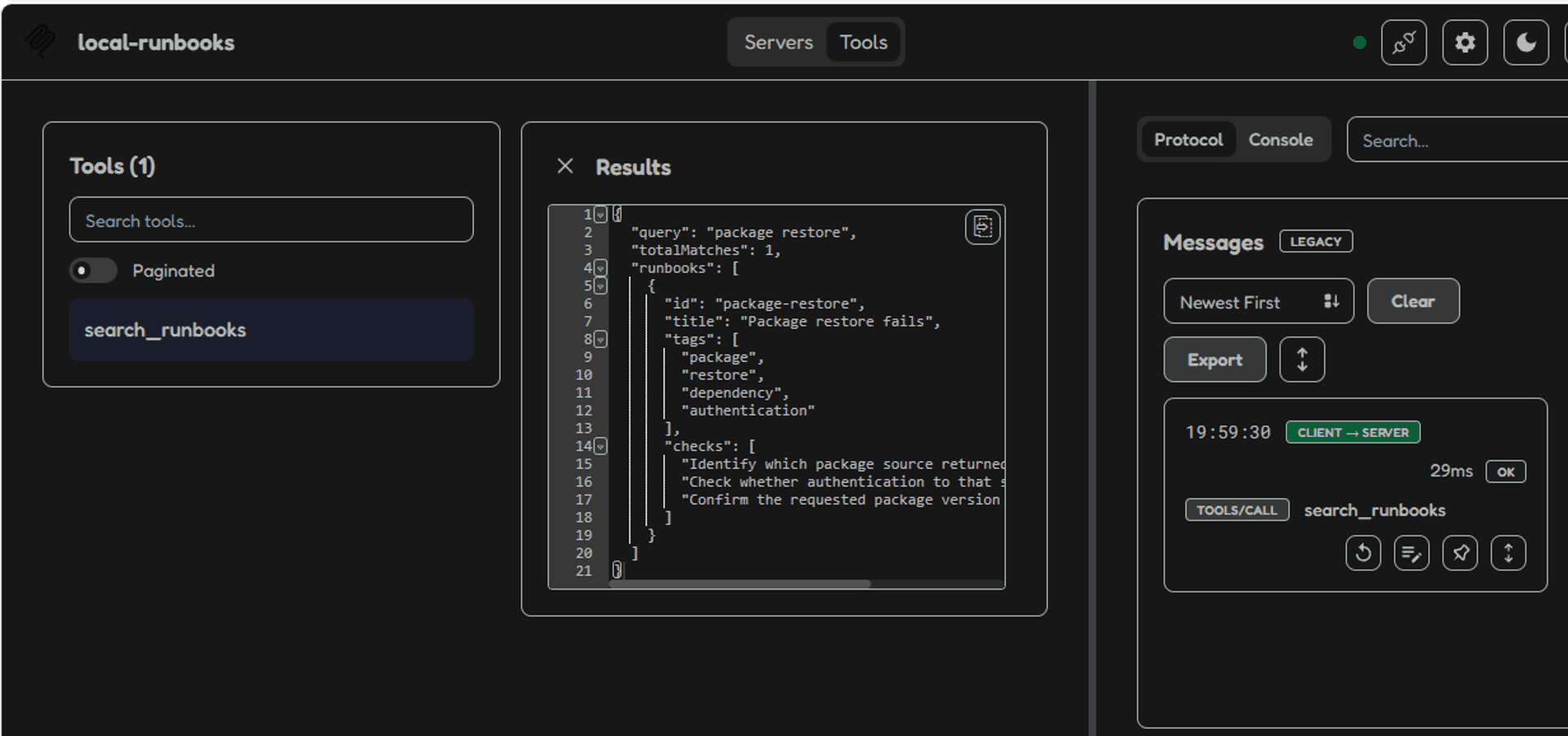
npx @modelcontextprotocol/inspector node server.mjsIn the Inspector, connect to the server, open Tools, select search_runbooks, and pass package restore as the query. You should get one match with the ID package-restore.
That test is useful because it separates two possible problems: a broken MCP server and an agent that simply chose not to call it.
Give VS Code the tool
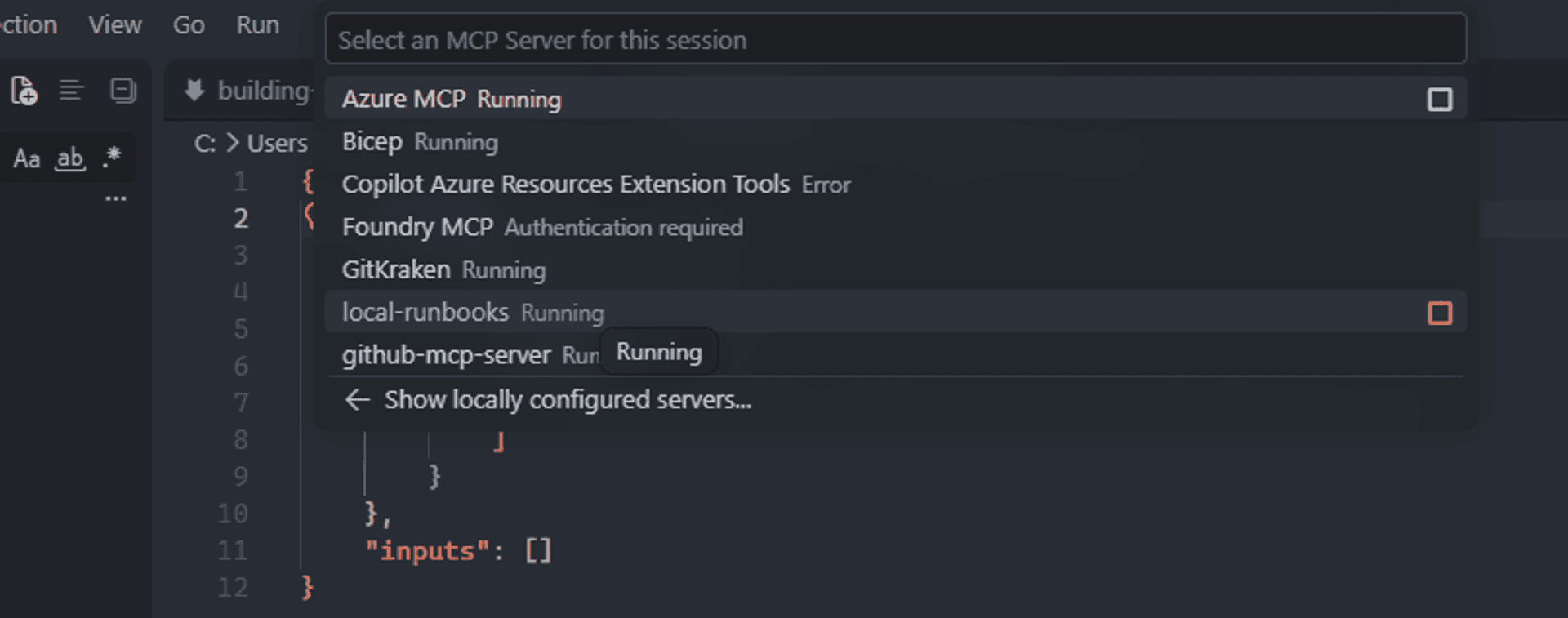
In VS Code, open the Command Palette and run MCP: Add Server.
- Choose Command (stdio).
- Enter the command below, replacing the path with the actual location of
server.mjson your computer. - Name the server
local-runbooks. - For a personal tool, choose Global → Copilot Global if that option is offered.
- Review the trust prompt and make sure the tool is enabled for the agent you're using.
node "C:\Users\YOUR_NAME\runbook-mcp\server.mjs"Use the actual location where you created the server.
Alternatively, you can edit your mcp.json directly:
{
	"servers": {
		"local-runbooks": {
			"type": "stdio",
			"command": "node",
			"args": [
				"C:\\Users\\YOUR_NAME\\runbook-mcp\\server.mjs"
			]
		}
	},
	"inputs": []
}
The configuration choices depend on your VS Code version and agent harness. I prefer the guided flow here because the supported MCP configuration format isn't identical across every client.
Then start the MCP server. Open the Command Palette (Ctrl+Shift+P), run MCP: List Servers, select local-runbooks, and start it. Or open mcp.json itself and use the Start action that VS Code shows above the server entry.
Now ask the agent something specific:
Search "package restore". Show the runbook ID and summarize the checks. Don't run commands or change files.
The important part is the tool call, not just the final answer. Expand the call in chat and check which tool was invoked and what it returned.
For the sample data, the result will contain something like this (also shown in the screenshot below):
{
  "query": "package restore",
  "totalMatches": 1,
  "runbooks": [
    {
      "id": "package-restore",
      "title": "Package restore fails",
      "tags": ["package", "restore", "dependency", "authentication"],
      "checks": ["..."]
    }
  ]
}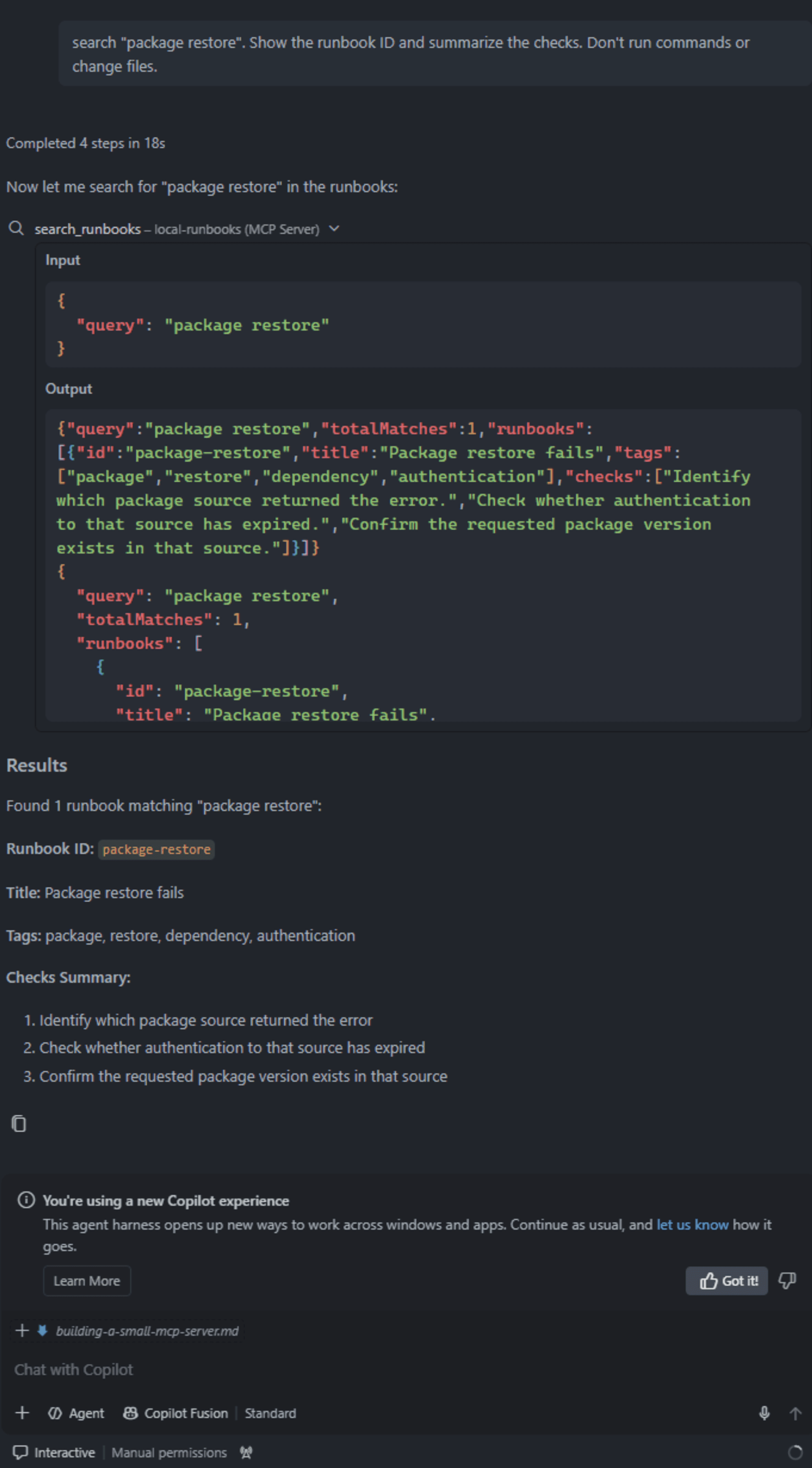
An agent can give decent advice about package restore without using this tool at all. I want to know it retrieved my runbook, not merely that it generated a reasonable answer.
It's also worth trying a query that doesn't match anything. That should return an empty list, not an error. A blank query should be rejected by the schema. If I later switch from the array to a file or API, a failed read should be reported as an error, not disguised as "no matches."
Final thoughts
Searching notes and executing commands are very different permissions. The distinction is even more important in the PR-review automation that prompted this introductory article. Finding a review request, analyzing a diff, posting a comment, and approving a PR should be separate operations with their own controls.
There are a few practical limits to remember:
- Local doesn't mean sandboxed. Unless another boundary is in place, the server process runs with the permissions of the account that starts it.
- MCP doesn't bypass access control. A tool that talks to Teams, Azure DevOps, or another service still needs the right authentication and authorization.
- Returned content isn't automatically trusted. A real runbook file or external API might contain instructions intended to manipulate the agent. Treat those as data, not commands.
- Local tools can still send data to a model. The process runs locally, but results placed in the agent conversation may be sent to the configured model service.
For this reason, the example doesn't accept arbitrary file paths, invoke a shell, or contact an external system. Those features can be added when there's a real need and a clear trust boundary.
Why this was worth trying
What I liked about this exercise is how little of the implementation was actually about AI.
I had a function that returned useful information. MCP made it callable from the editor where I was already working. The model could decide when it needed the tool, while the tool kept the retrieval behavior predictable.
That was the part I wanted for the Teams review workflow too: one small, inspectable connection between a request and an existing agent, with the more consequential actions kept separate.
If you're trying MCP for the first time, I'd start with a tool you would genuinely use twice a week. Keep the input narrow, make the output easy to verify, and watch the actual call in VS Code. You'll learn more from that than from building a large server with ten tools you don't yet need.
Further reading: MCP TypeScript SDK v2 · MCP Inspector · Adding MCP servers in VS Code.